Pattern

Multi-repo projects: one shared memory across many repos.

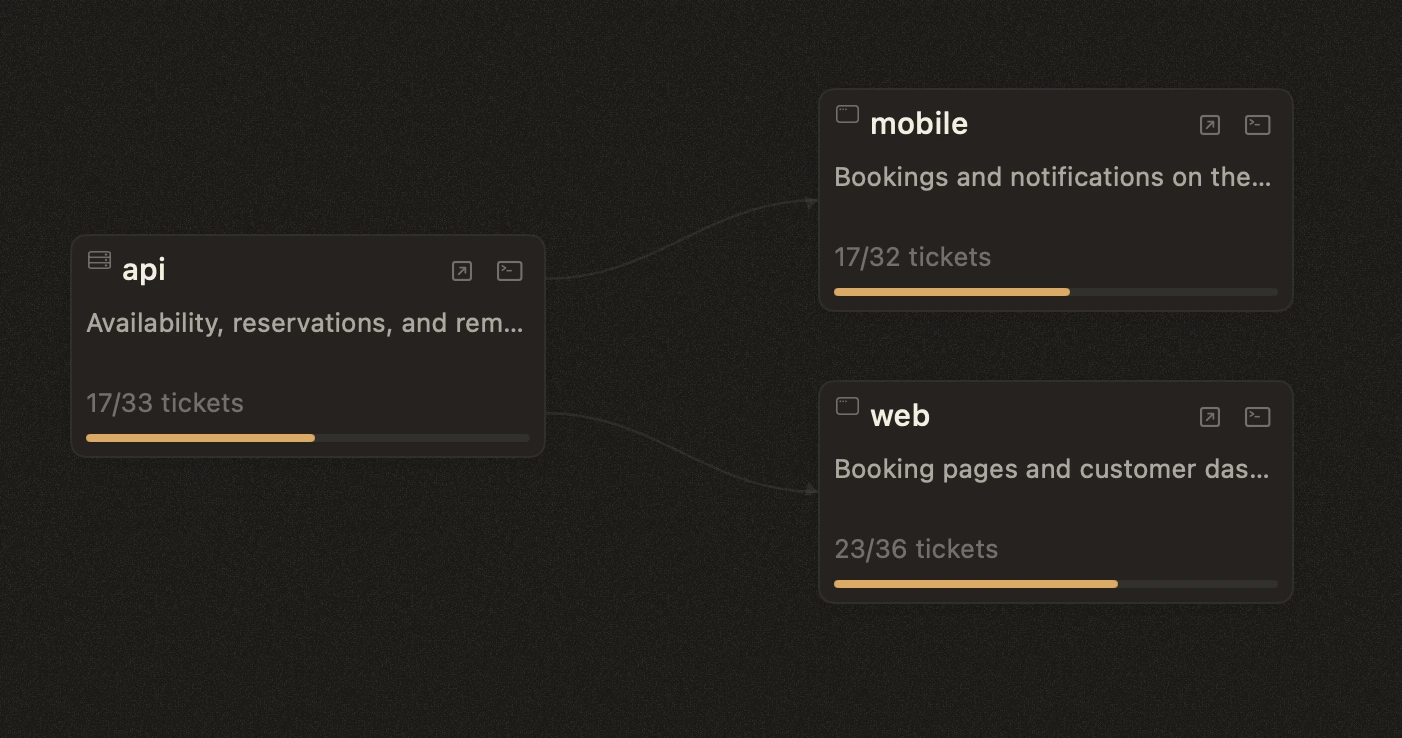
When a product spans multiple repositories (backend, dashboard, iOS, Android, TV) but ships as one thing, you do not need a separate .story/ in every repo. Put one .story/ at a wrapper directory above them, leave each sub-repo to its own git history, and let Storybloq walk up to find the shared memory.

The problem

A real product is often more than one repo. The backend lives in its own repo. The dashboard lives in another. The iOS, Android, and TV apps each have their own. They ship together but commit separately.

Where does your project memory go? You can put a .story/ in each repo, but then tickets, issues, and handovers are scattered. Cross-repo work ("wire up the new sales API endpoint in the iOS app") has no natural home: it touches three repos but belongs to none.

What you want is shared project memory that sits above the repos.

The pattern

Put your sub-repos as nested directories under a wrapper directory. Put one .story/ at the wrapper level. From any sub-repo, /story walks up the directory tree, finds the wrapper's .story/, and loads from there.

Each sub-repo keeps its own git history, its own remote, its own branches. The wrapper directory is also a git repo, usually local-only, that tracks just the .story/ content. Two layers of git: one per sub-repo for code, one at the wrapper for shared memory.

What it looks like

A typical layout with a backend, a dashboard, and three apps:

your-project/                  (wrapper repo, tracks .story/)
├── .gitignore                 (ignores each sub-repo by path)
├── .story/                    ← shared project memory
│   ├── tickets/               (all tickets, all sub-repos)
│   ├── issues/                (all issues, all sub-repos)
│   ├── handovers/             (session continuity)
│   ├── lessons/               (learned patterns)
│   ├── config.json
│   └── ...
├── api/                       (separate repo, remote: api.git)
├── dashboard/                 (separate repo, remote: dashboard.git)
└── apps/
    ├── ios/                   (separate repo, remote: ios.git)
    ├── android/               (separate repo, remote: android.git)
    └── tv/                    (separate repo, remote: tv.git)

How it works in practice

You cd into your iOS sub-repo to work on a feature. You run /story. Storybloq looks for a .story/ in the current directory, does not find one, walks up to the wrapper, finds the .story/ there, and loads from it. The /story skill pulls in tickets, issues, recent handovers, and lessons across the whole ecosystem.

The walk-up behavior is implemented in Storybloq's project root discovery: it starts at the current working directory and walks up to filesystem root looking for .story/config.json. The first one it finds is the project.

You make code changes in the iOS sub-repo. Those commits target the iOS sub-repo's remote. You update the ticket status to complete in .story/tickets/T-XXX.json. That update is committed in the wrapper repo, not the iOS sub-repo. Code changes and memory changes flow to different repos. Practically: you'll typically commit twice, once in the sub-repo for code, once in the wrapper for the .story/ update.

Tomorrow you cd into the backend sub-repo. Run /story. The same shared .story/ loads. Yesterday's iOS handover is right there. The backend session sees the iOS work from yesterday.

Git tracking

Two layers of git in one directory tree. The wrapper directory is a git repo (typically local-only, no remote) that tracks the .story/ directory itself. Each sub-repo is a separate git repo with its own remote.

The wrapper's .gitignore is load-bearing. It needs to exclude every sub-repo directory by path so the wrapper does not try to track them as content. Without that, git sees nested .git directories and starts treating them as opaque gitlinks (phantom submodules), which gets messy.

A working wrapper .gitignore:

# Sub-repos (each has its own git history)
api/
dashboard/
apps/

# .story state that should not be committed
.story/snapshots/
.story/sessions/
.story/channel-inbox/

The wrapper repo's only job is to version the .story/ content: tickets, issues, handovers, lessons, config. That is what gets committed when you finish a session. The wrapper does not need a remote unless you want to back it up; many setups keep it local-only.

Each sub-repo's commits go to its own remote as usual. Nothing about Storybloq changes that. The sub-repo developer experience is unchanged.

Teammates joining the project: they clone each sub-repo from its remote into their own wrapper directory. The .story/ wrapper is shared via whatever channel you choose (a private wrapper remote, a shared drive, or rebuilt from scratch). The wrapper layout is convention-driven, not a published format.

The config

In your wrapper .story/config.json, you can declare the ecosystem and its sub-projects:

{
  "version": 2,
  "project": "your-project",
  "type": "ecosystem",
  "subprojects": {
    "api": "api/",
    "dashboard": "dashboard/",
    "ios": "apps/ios/",
    "android": "apps/android/",
    "tv": "apps/tv/"
  }
}

Honest note: the subprojects field is currently declarative metadata. Storybloq's CLI does not yet consume it for tagging tickets by sub-project or for filtering views. The pattern works because of the walk-up directory discovery, not because of this map. Documenting subprojects in your config is useful for humans (and for future Storybloq features that may consume it), but you can omit it and the pattern still works.

Set it up

Starting from scratch with sub-repos that already exist on a remote.

Quick prompt for an AI

Paste this into Claude Code (or any agentic AI session) with your wrapper path and sub-repo URLs filled in. The agent reads this page and follows the steps below.

Set up the multi-repo pattern from https://storybloq.com/multi-repo at <wrapper-path>.

Sub-repos to clone (adjust to your actual stack):
- api -> <api-repo-url>
- dashboard -> <dashboard-repo-url>
- ios -> <ios-repo-url>
- android -> <android-repo-url>
- tv -> <tv-repo-url>

Follow the seven setup steps exactly. Use the .gitignore snippet from the guide. After the clones, run /story at the wrapper and tell it this is an ecosystem-style multi-repo project covering the sub-areas above. Optionally add the subprojects map to .story/config.json. Do not create a .story/ in any sub-repo.

Filling in the URLs is the only judgment call. The agent follows the runbook from there.

Or do it by hand

  1. 01

    Create a wrapper directory.

    mkdir -p ~/Developer/your-project
    cd ~/Developer/your-project
  2. 02

    Initialize the wrapper as a git repo.

    It will track only your .story/ content. No remote is needed unless you want to back it up.

    git init
  3. 03

    Create the wrapper's .gitignore.

    Paste the snippet from the Git tracking section above. Adjust the sub-repo paths to match what you are about to clone.

  4. 04

    Clone each sub-repo as a nested directory.

    git clone <api-repo-url> api
    git clone <dashboard-repo-url> dashboard
    mkdir -p apps
    git clone <ios-repo-url> apps/ios
    git clone <android-repo-url> apps/android
    git clone <tv-repo-url> apps/tv
  5. 05

    Initialize the shared .story/ at the wrapper.

    Open Claude Code at the wrapper directory and run /story. The skill detects there is no .story/ yet and walks you through AI-assisted setup. Tell it this is an ecosystem-style multi-repo project covering the sub-areas you cloned in step 4; it will scaffold .story/ at the wrapper level.

  6. 06

    (Optional) Declare the subprojects map.

    Edit .story/config.json to add the subprojects map shown in the Config section above. Declarative today; useful for humans, and for future Storybloq features that may consume it.

  7. 07

    Commit the wrapper.

    Two layers of commits from now on: code changes commit in the sub-repo where the code lives; .story/ updates commit in the wrapper. That separation is the point.

    git add .gitignore .story/
    git commit -m "Init wrapper with shared .story/"

Verify it works

cd into any sub-repo, open Claude Code, and run /story. Success looks like Storybloq loading the wrapper's tickets and handovers in the session preamble, not asking to initialize a new .story/ in the sub-repo.

If /story offers to initialize a new .story/ in the sub-repo instead, the wrapper-level one is either missing, missing its config.json, or sits outside the directory tree above your cwd. Confirm ~/Developer/your-project/.story/config.json exists and is reachable from where you are running /story.

Migrating from per-repo .story/

If each sub-repo already has its own .story/ with accumulated tickets and handovers, consolidation is manual today. Either merge their contents into a single wrapper .story/ by hand (re-numbering tickets to avoid ID collisions), or accept losing history from all but one. There is no automated migration tool yet.

When this pattern works

  • Several related repos that ship together as one product.
  • One team, or one person, owning the whole stack.
  • A shared roadmap where features span multiple repos.
  • You want a single place to see in-flight work across the stack: tickets, issues, handovers, lessons.

When it does not fit

  • Independent projects with different teams and different roadmaps. Each should have its own .story/.
  • Open-source repos that other people clone individually. The wrapper repo is for your local setup; it does not ship with the public repos.
  • Monorepos with a single git history. You do not need this pattern: just put .story/ at the monorepo root.

Honest caveats

Autonomous mode operates within one .story/ at a time. When /story auto runs, it is bound to the project root that Storybloq discovered at session start. It cannot switch between sub-repos in a single session, and it cannot coordinate work across them in one ticket. Keep each ticket scoped to one sub-repo and the pattern is comfortable.

Cross-repo ticket linkage is not first-class today. You can write "depends on T-042 in the iOS sub-repo" in a ticket description, but Storybloq will not trace it automatically or enforce it as a blocker. The ticket schema's blockedBy field is project-local.

There is no native cross-session messaging between sessions in different sub-repos. If a session in the iOS sub-repo wants to invoke work in a session in the backend sub-repo, you coordinate that manually today. (There is a .story/channel-inbox/ primitive for external agents to send events into a project, but it is per-project, not for cross-session orchestration.)

These limits are runtime-level: they belong to how a single Claude Code or Cursor session works, not to the file substrate. The pattern still delivers what most teams want: shared tickets, shared issues, shared handovers, shared lessons across the whole product. The harder coordination problems are on our roadmap, not yet shipped.

Try the pattern on your stack.

Storybloq is free and local-first. The walk-up directory discovery works out of the box.